
Keep Your Number, Add AI in Minutes
No porting, no downtime, no hassle. Forward your calls to your AI receptionist and turn it off whenever you want.
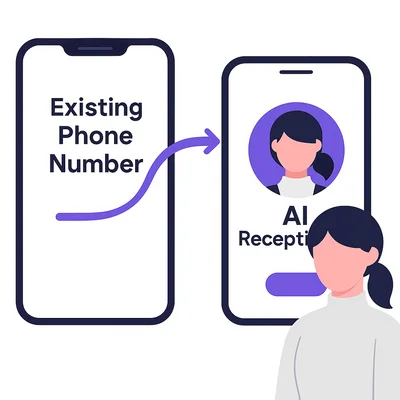
How to Set It Up
Three steps, 5 minutes total — here's an example using AT&T. Scroll down for your specific carrier's star codes.
Get Your AI Number
Sign up for AI Receptionist and receive your dedicated AI receptionist phone number.
Dial *21* + AI Number + #
From your mobile, dial *21* followed by your AI receptionist number, then press #. Your carrier will confirm forwarding is active.
You're Live
All incoming calls to your number now route to your AI Receptionist. Turn it off anytime with ##21#.
Call Forwarding Setup
Star codes are special dialing commands that begin with an asterisk (*) and grant quick access to advanced calling features. Two primary functions include:
Call Forwarding: Automatically redirects all incoming calls from your phone to a designated number. This feature can be used to transfer calls directly to your AI Receptionist, bypassing your own line entirely.
Conditional Call Forwarding: Redirects calls only when you don't answer—much like voicemail. This gives you the flexibility to answer some calls personally while using the AI Receptionist as a call screener for others.
Enter your AI Receptionist number below, find your carrier, and tap the buttons to dial or copy the codes directly — no retyping required. Your carrier will confirm activation.
Bell Mobility
Canada WirelessStar Code Quick Reference — All Carriers
| Carrier | Forward All | Disable | When Busy | No Answer | Not Reachable | Cancel All |
|---|---|---|---|---|---|---|
| Bell Mobility Canada Wireless | *21*…# | ##21# | *67*…# | *61*…# | *62*…# | ##002# |
| Rogers Canada Wireless | *21*…# | ##21# | *67*…# | *61*…# | *62*…# | ##002# |
| Telus Canada Wireless | *21*…# | ##21# | *67*…# | *61*…# | *62*…# | ##004# |
| Fido (Rogers Network) Canada Wireless | *21*…# | ##21# | *67*…# | *61*…# | *62*…# | ##002# |
| Koodo (Telus Network) Canada Wireless | *21*…# | ##21# | *67*…# | *61*…# | *62*…# | ##004# |
| Freedom Mobile Canada Wireless | *21*…# | #21# | *67*…# | *61*…# | *62*…# | ##002# |
| SaskTel Mobility Canada Wireless | *21*…# | ##21# | *67*…# | *61*…# | *62*…# | ##002# |
| Videotron Mobile Canada Wireless | *21*…# | ##21# | *67*…# | *61*…# | *62*…# | ##004# |
| Rogers Home Canada Landline | *72… | *73 | *90… | *92… | — | — |
| Rogers (formerly Shaw) Canada Landline | *72… | *73 | *90… | *92… | — | — |
| Bell Home Phone Canada Landline | *72… | *73 | — | — | — | — |
| Telus Home Canada Landline | *72… | *73 | *90 | *92 | — | — |
Frequently Asked Questions
How do I set up call forwarding?
Most carriers use *72 followed by the number you want to forward to (your AI receptionist number). Dial *73 to turn it off. See carrier-specific instructions above. For VoIP services, contact your provider for setup details.
Can I turn forwarding on and off easily?
Yes. Dial *73 to disable forwarding, *72 + your AI number to re-enable. Some businesses toggle it on for busy times or after hours, off when they're available to answer directly.
Will my customers know calls are forwarded?
No. They call your regular business number and hear your AI receptionist answer professionally. The forwarding is completely transparent to callers.
Does call forwarding cost extra?
Most carriers include call forwarding for free. Check with your carrier. AI Receptionist itself starts at $14/month, and that includes all AI features—no extra charges for forwarded calls.