
AI Receptionist Integrations: Send Every Call to Your CRM, Sheets and Team Chat
Connect Zapier or any MCP server, and after each call an AI agent adds the lead to your CRM, logs the job in a spreadsheet or tells your team. Included from the Starter plan at $39 a month.
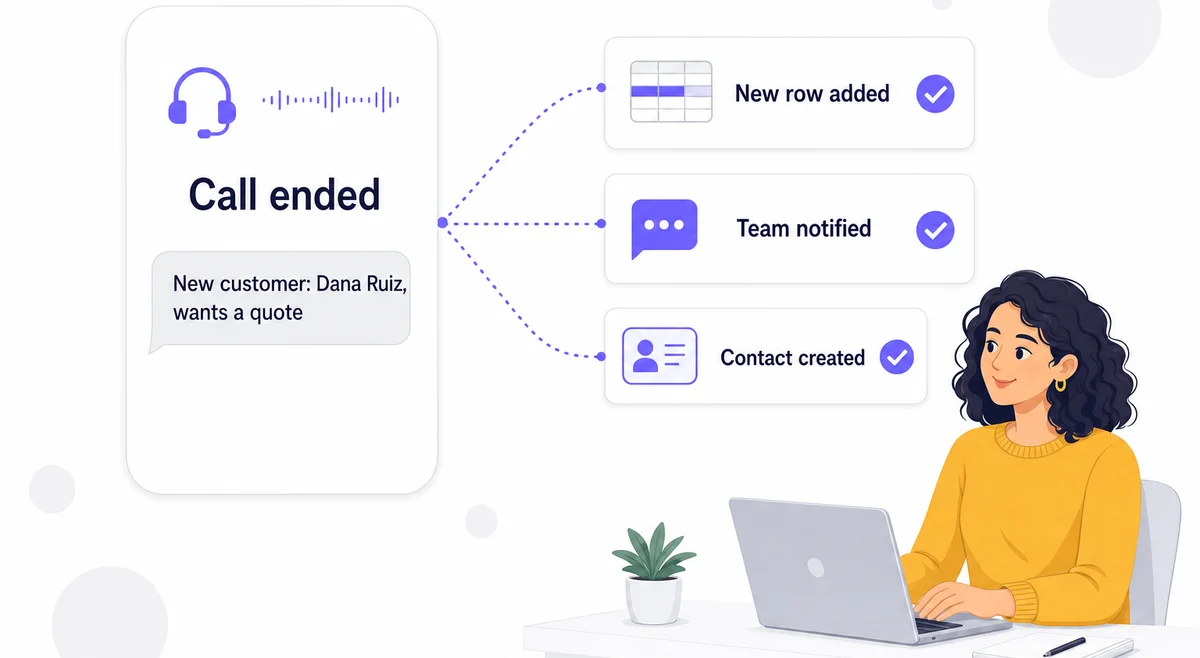
Your Calls Are in One App. Your Customers Are in Another.
Your AI Receptionist answers the call and writes a summary. But your leads live in a CRM, your jobs in a spreadsheet and your team in a chat channel. Someone still has to copy each caller's name, number and request from the dashboard into those apps, and on a busy week that doesn't happen.
Connected apps close that gap. You connect your Zapier account or another MCP server once, say in plain language what should happen after a call, and the Post-Call Agent does it at the end of every call.
How It Works
Three steps from a phone call to your other apps
Connect Zapier or an MCP Server
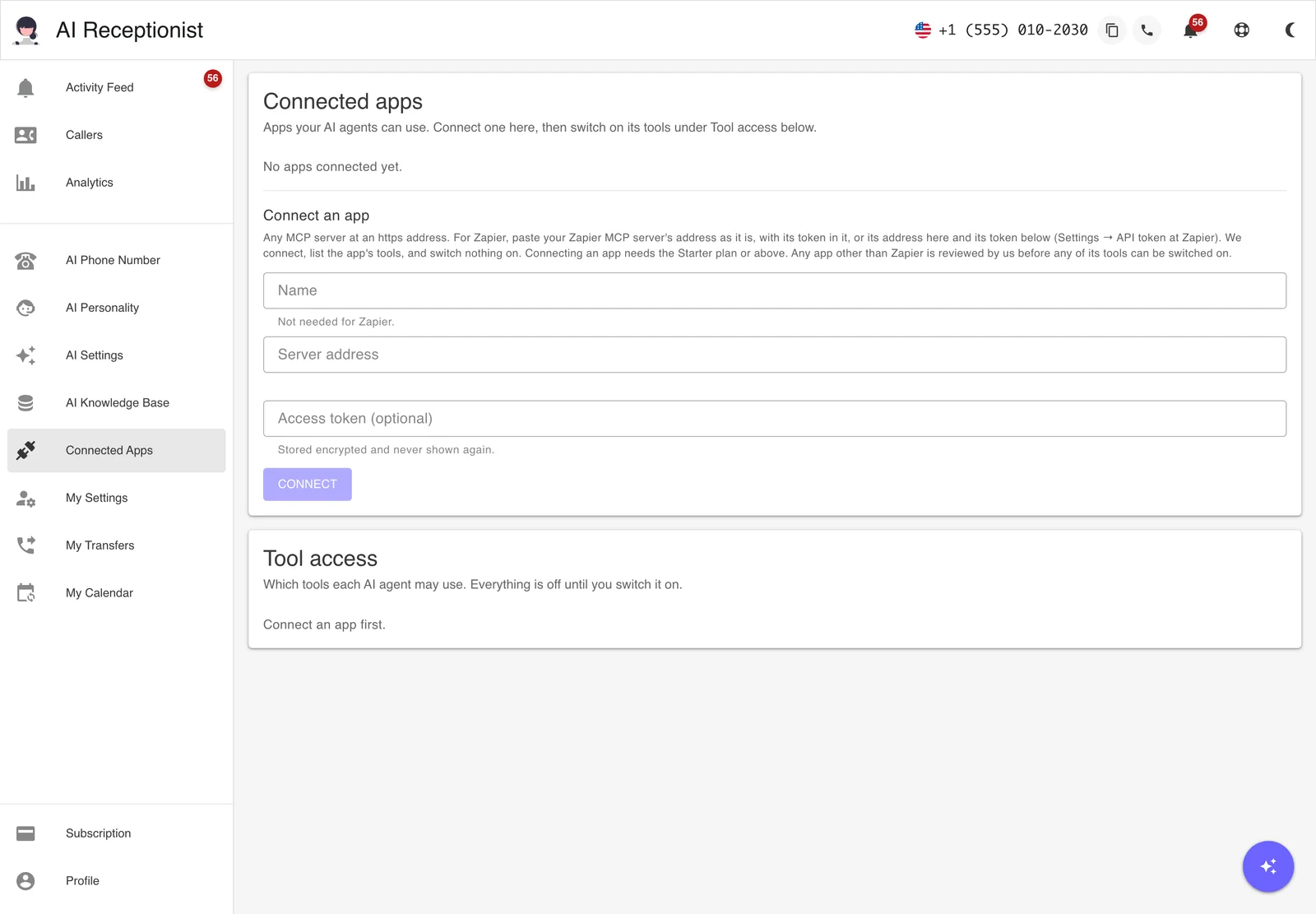
Create a Zapier MCP server, then paste its address and token on the Connected Apps page. Connecting lists the app's tools and switches none of them on.
Tell the Assistant What Should Happen
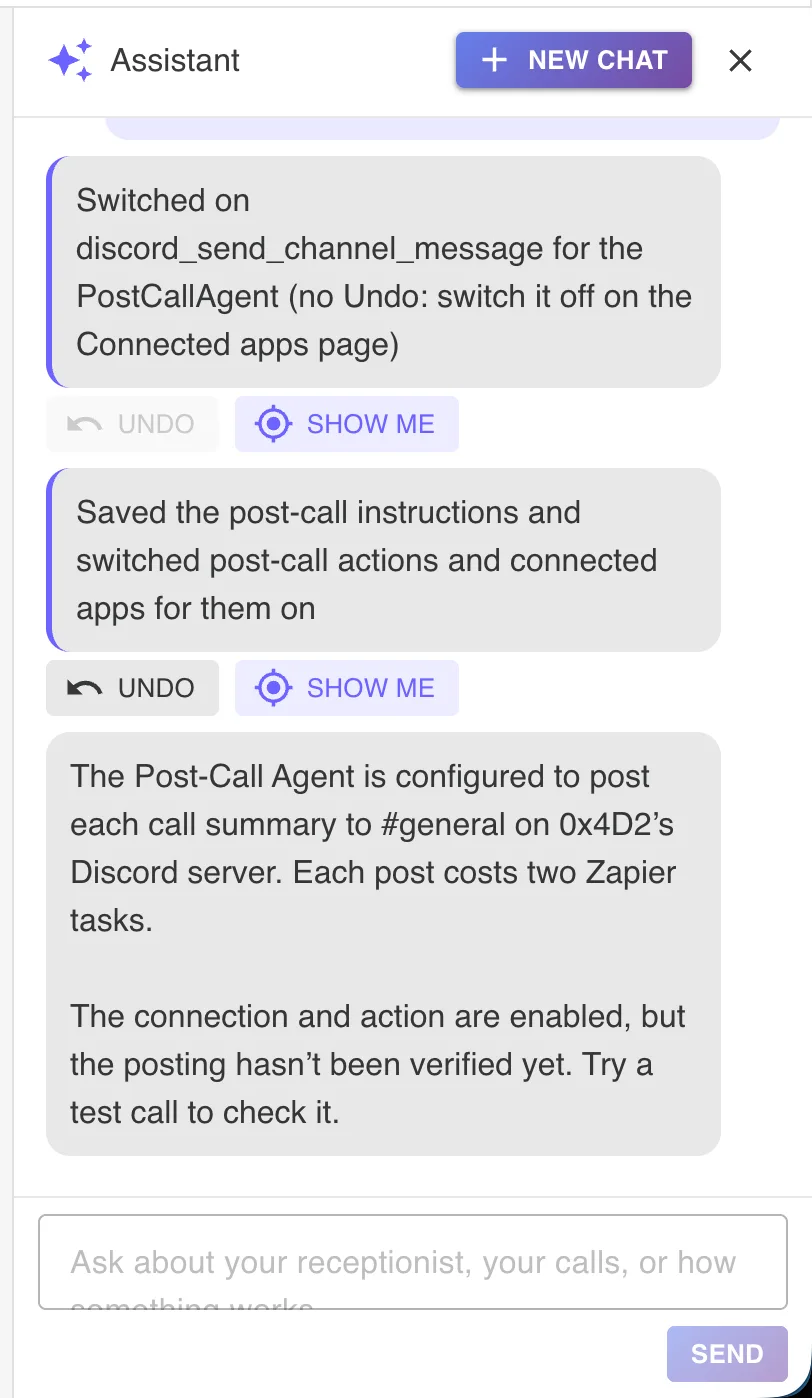
Say "add every new caller to my Leads sheet." The assistant enables the app at Zapier, finds the sheet and its columns, switches on the actions and saves your post-call instructions.
Every Call Updates Your Apps
When a call ends, the Post-Call Agent reads it and runs the actions your instructions call for. Spam and irrelevant calls are skipped.
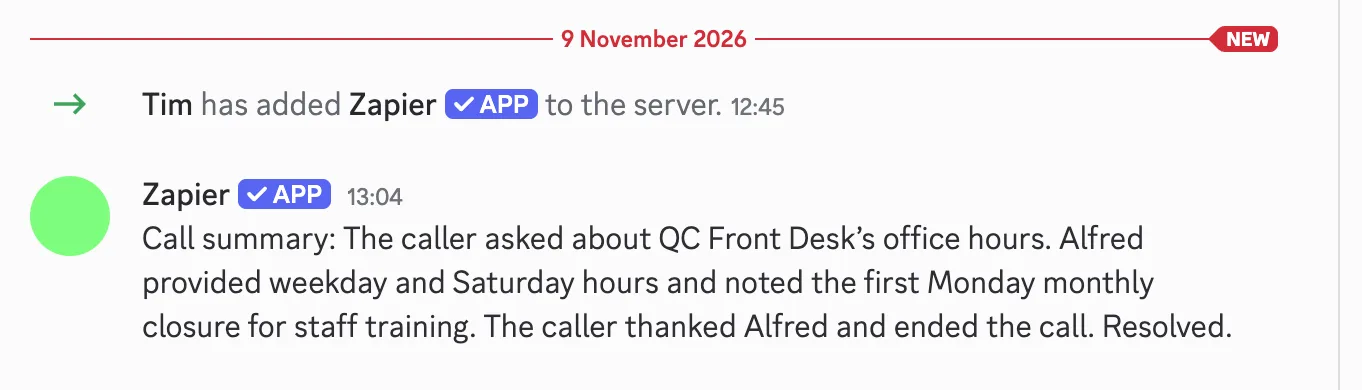
What It Looks Like in Your Dashboard
What You Can Do After a Call
- Add the lead to your CRM. Create the contact in HubSpot, Salesforce, Pipedrive or another CRM, with the call summary as a note.
- Log every call in a spreadsheet. Add a row to a Google Sheet or Airtable base with the caller's name, number, reason for calling and the time.
- Tell your team. Post new leads or urgent calls to a Slack or Microsoft Teams channel.
- Open a task or ticket. Create a card in Trello or a ticket in your help desk when a caller reports a problem.
- Ask the assistant to do it now. In your dashboard, the assistant can use the same apps when you ask: "find Maria in HubSpot" or "add Maria to my leads sheet."
The agent texts and emails your registered contacts through Post-Call Actions as before. Connected apps add everything else Zapier can reach.
You Decide What It May Touch
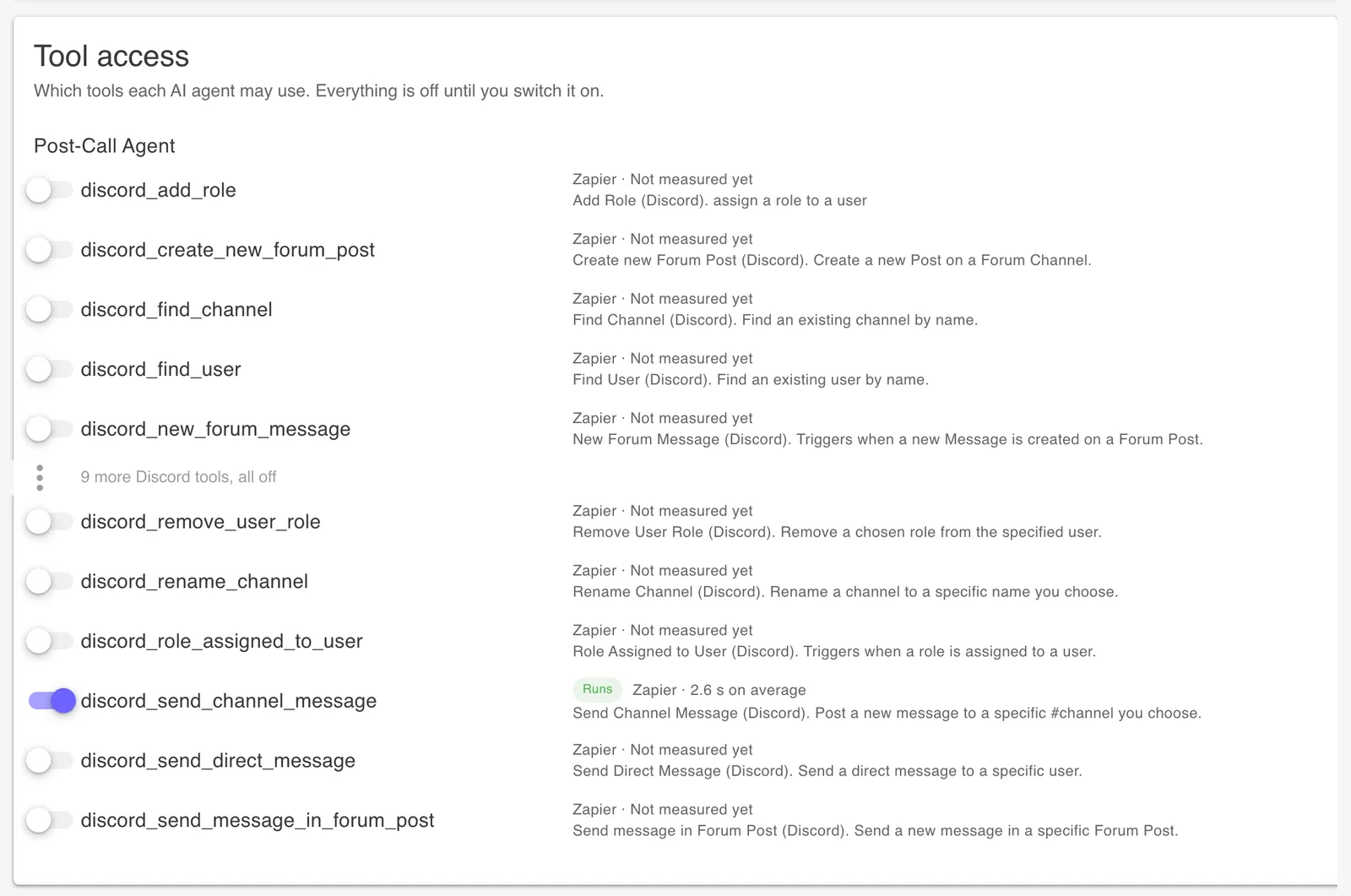
Connecting an app switches nothing on. Under Tool access there is one switch per action, such as "add a row" or "create a contact", and the Post-Call Agent can use only the actions you switched on. Before any of them runs, you read a short list of the risks and accept it once.
Your Zapier token is stored encrypted and never shown again. You paste it on the Connected Apps page, and the assistant refuses one typed into the chat. Any MCP server other than Zapier is reviewed by us before its tools can be used.
Every call shows what the agent did: each step, each tool it called and what came back. If a row didn't appear, ask the assistant why and it reads the run and offers the fix.
What It Doesn't Do Yet
- Connected apps are used after the call and in your dashboard, not while the caller is on the line. During the call the AI answers from your knowledge base and books into Google Calendar.
- The agent runs once per call, right after it ends. It can't wait for a reply in another app and act later.
- We don't have outbound webhooks yet. They are on our coming-soon list.
Real-World Scenarios
Real Estate Leads into the CRM
A buyer calls about a listing on Saturday. When the call ends, the agent creates the contact in the agent's CRM with the property, the budget and the call summary, ready for Monday's follow-up.
Plumbing Job Log
Every service call adds a row to the office's Google Sheet: name, address, the problem and whether a visit was booked. The office manager works from the sheet instead of the call log.
Agency Team Channel
A marketing agency posts every new-business call to its Slack sales channel with a two-line summary, so whoever is free calls back first.
Property Maintenance Requests
A tenant reports a broken heater. The agent opens a card on the maintenance board with the unit, the problem and the tenant's number.
Frequently Asked Questions
Which plans include integrations?
Connected apps are included on Starter ($39 a month), Solopreneur and Business. They are not available on Essential. There is no extra fee from us, but each run uses support agent tokens from your plan's monthly allotment, and Zapier counts two tasks on your Zapier plan for every action it runs.
Learn more: Pricing
Which apps can I connect?
Any app you can reach through Zapier, such as Google Sheets, HubSpot, Salesforce, Pipedrive, Slack, Microsoft Teams, Trello or Airtable, and any other MCP server. Zapier works as soon as you connect it. Any other MCP server is reviewed by us before its tools can be used.
Can my AI receptionist integrate with my CRM?
Yes, through Zapier or your CRM's own MCP server. After each call, the Post-Call Agent can create or update the contact, add a note with the call summary, or open a deal, using only the CRM actions you switched on. It does not look up your CRM while the caller is still on the line.
Does the AI use my apps during the call?
No. Connected apps are used after the call ends, by the Post-Call Agent, and in your dashboard by the assistant when you ask it to do something. During the call, your AI Receptionist answers from your knowledge base and instructions and books appointments into Google Calendar.
Learn more: Calendar booking
Do I have to build Zaps or workflows?
No. You create one Zapier MCP server, paste its address and token on the Connected Apps page, and tell the assistant in your dashboard what should happen after a call, for example "add every new caller to my Leads sheet." It enables the app at Zapier, finds the sheet and its columns, switches on the actions the job needs and writes your post-call instructions.
Is it safe to connect my apps?
Every tool starts switched off, and the agents can use only the tools you switch on. Before anything runs, you read a short list of the risks and accept it once. Your token is stored encrypted and never shown again, and the assistant refuses a token typed into the chat. The main risk is that a caller can try to steer the agent with what they say, so don't give it a tool that reads private data together with one that sends messages out. A change or deletion the agent makes in your app can't be undone by us.
Can I see what the agent did in my apps?
Yes. Each call in your Activity Feed shows the Post-Call Agent's run with every step, every tool it called and what came back. You can also ask the assistant why something didn't happen, such as "why wasn't Tuesday's caller added to my sheet?", and it reads the run and offers the fix.
Do you have webhooks?
Not yet. Outbound webhooks, a signed event at your own URL when a call ends or a message is taken, are on our coming-soon list. Until then, connected apps are the way to send call data to other software.
Learn more: Coming soon
Connect Your Receptionist to Your Apps
Start your free 7-day trial on Starter. No credit card required.
Start Free Trial