
Knowledge Base: The Documents Your AI Receptionist Answers From
Add FAQs, text, web pages, and files in 27 formats. During a call, your receptionist searches this library and answers from your own material.
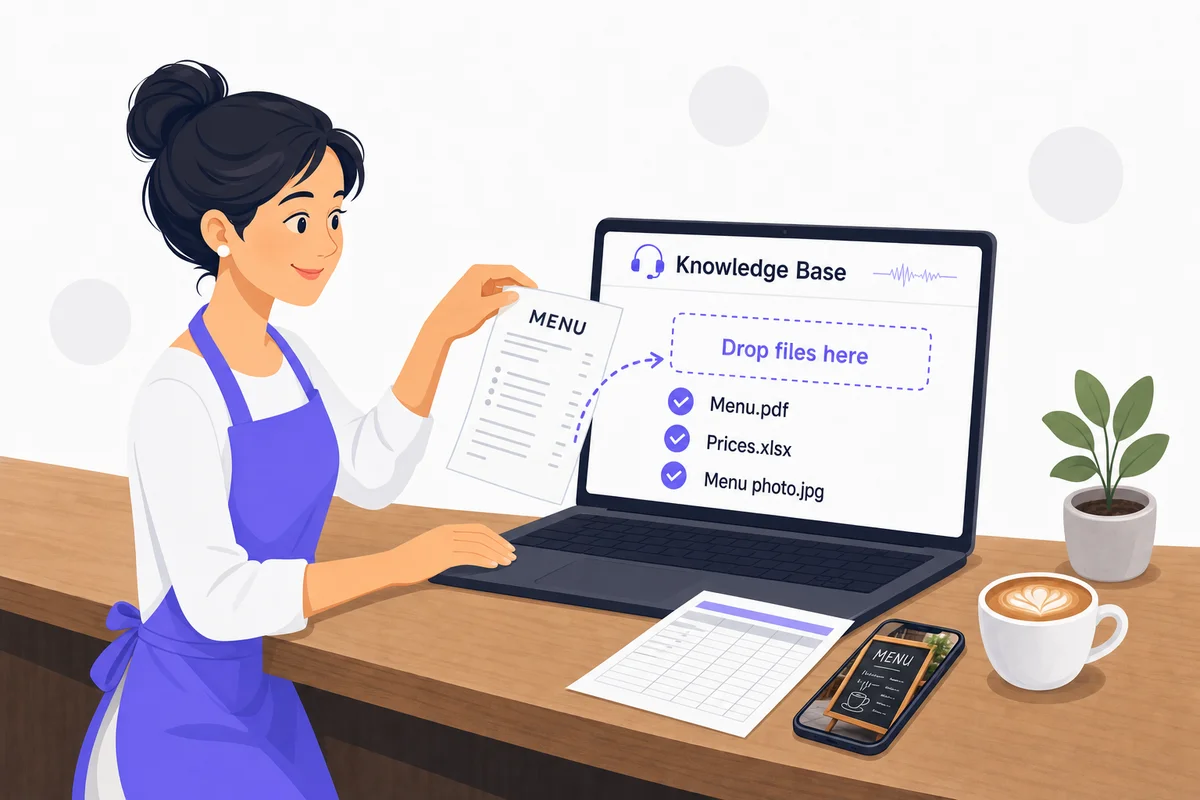
What Goes in a Knowledge Base
A receptionist is only useful if it knows your business. The knowledge base holds that knowledge: what you charge, where you are, when you open, what you do and don't do, and the hundred small questions callers ask every week.
You can add it four ways. Write question and answer pairs for the things callers ask most. Paste text for anything that doesn't fit a question, such as a policy or a description of a service. Give the address of a web page and the receptionist reads that page (one page per entry, with a refresh button for when the page changes). Or upload the files you already have.
The receptionist doesn't memorize any of it. During a call it searches the knowledge base for the caller's question and answers from the closest match, so clearly titled, well organized entries get the best results.
How It Works
From your files to answered calls
Add Your Material
Open the AI Knowledge Base page in your dashboard and add FAQs, text, URLs or files. Each entry gets a title so you and the receptionist can find it later.
Processing and Review
Uploaded files are read, including text inside images and scanned PDFs, and compiled into a format the receptionist can search quickly. This takes up to 30 minutes. An automatic check flags entries that belong in the AI instructions instead.
Answers During Calls
When a caller asks something, the receptionist searches the knowledge base in real time and answers from what it finds. Edit, refresh or delete entries whenever your information changes.
Supported File Formats
The knowledge base accepts 27 file formats. Every file is read for its text, so the receptionist works from the words inside, whatever the container. Most AI receptionists accept three or four.
| Type | Formats | What businesses upload |
|---|---|---|
| Documents | PDF, DOC, DOCX, RTF, ODT, EPUB | Service menus, policy documents, employee handbooks, brochures saved as PDF |
| Spreadsheets | XLS, XLSX, ODS, CSV | Price lists, staff directories, class schedules, product catalogs |
| Presentations | PPT, PPTX, ODP | Sales decks, onboarding slides, training material |
| Text and markup | TXT, MD, HTML, HTM, XML, JSON | Notes, Markdown docs, saved web pages, data exports from other software |
| Images | PNG, JPG, JPEG, TIFF, TIF, BMP, WEBP | Photos of menu boards, scanned price lists, flyers, signage |
Images and PDFs without a text layer are read with optical character recognition. Clear, high-contrast scans with upright text give the best results. A blurry phone photo may come back with gaps.
Limits and Plans
| File size | 5 MB per file |
|---|---|
| Text entry | 10,000 characters |
| FAQ entry | 500-character question, 1,000-character answer |
| Items | 50 per type (FAQ, text, URL, file), 150 in total |
| Upload rate | One upload every 5 seconds, 10 per minute |
| URL entries | One page per entry, refresh on demand |
FAQ and text entries are included on every plan, including Essential. File uploads and web page URLs are included on Starter, Solopreneur and Business. See pricing for the full plan comparison.
Real-World Scenarios
Restaurant Menu PDF
A bistro uploads the same PDF menu it hands to guests. Callers ask about gluten-free options and the receptionist reads the answer straight from the menu.
Dental Fee Schedule in Excel
A dental office keeps its fee schedule in a spreadsheet and uploads the XLSX. When a caller asks what a cleaning costs, the receptionist quotes the number on the sheet.
School Handbook in Word
A school uploads its 40-page parent handbook as a DOCX. Questions about pickup times, dress code and snow days get answered from the handbook.
Photo of the Menu Board
A coffee shop has no digital menu, so the owner photographs the board behind the counter and uploads the JPG. OCR reads the prices and the receptionist answers from them.
Frequently Asked Questions
Which plans include file and URL uploads?
FAQ and text entries are on every plan, including Essential. File uploads and web page URLs need Starter or above, so Starter, Solopreneur and Business all include them.
Learn more: Pricing
Can I upload a spreadsheet to my AI receptionist?
Yes. XLS, XLSX, ODS and CSV files are all accepted. A price list or staff directory in a spreadsheet works well because each row is a short, self-contained fact.
Can I upload a PowerPoint or slide deck?
Yes. PPT, PPTX and ODP are accepted. The receptionist reads the text on each slide, so decks with full sentences work better than decks that are mostly pictures.
Can I upload Markdown, HTML or JSON files?
Yes. TXT, MD, HTML, HTM, XML and JSON are accepted. If you keep documentation in Markdown or export data from another system as JSON or CSV, you can upload it as is.
What about scanned PDFs and photos?
Image files (PNG, JPG, JPEG, TIFF, TIF, BMP, WEBP) and PDFs without a text layer go through optical character recognition. Clear, high-contrast scans with upright text give the best results. A blurry phone photo may come back with gaps.
How big can a file be?
5 MB per file. Text entries can be up to 10,000 characters. A knowledge base holds up to 50 items of each type and 150 items in total.
Does the receptionist read my whole website from one URL?
No. A URL entry reads the single page you give it. Add one entry per page you want covered, and use the refresh button on an entry when that page changes.
How long until new material is used on calls?
Up to 30 minutes. New and changed entries are compiled into a searchable format before the receptionist uses them.
What does 'issues detected' mean on the knowledge base page?
An automatic check flags entries that would work better as AI instructions, such as rules about how to behave on a call. Resolve each flag to keep the knowledge base clean and the instructions where they belong.
Learn more: Knowledge base help
Upload Your First Document Today
Start your free 7-day trial. No credit card required.
Start Free Trial