
Post-Call Actions: Your AI Follows Up After Every Call
Write instructions in plain language, like 'text me when a caller sounds like a new lead.' After each call, an AI agent reads the call and carries them out.
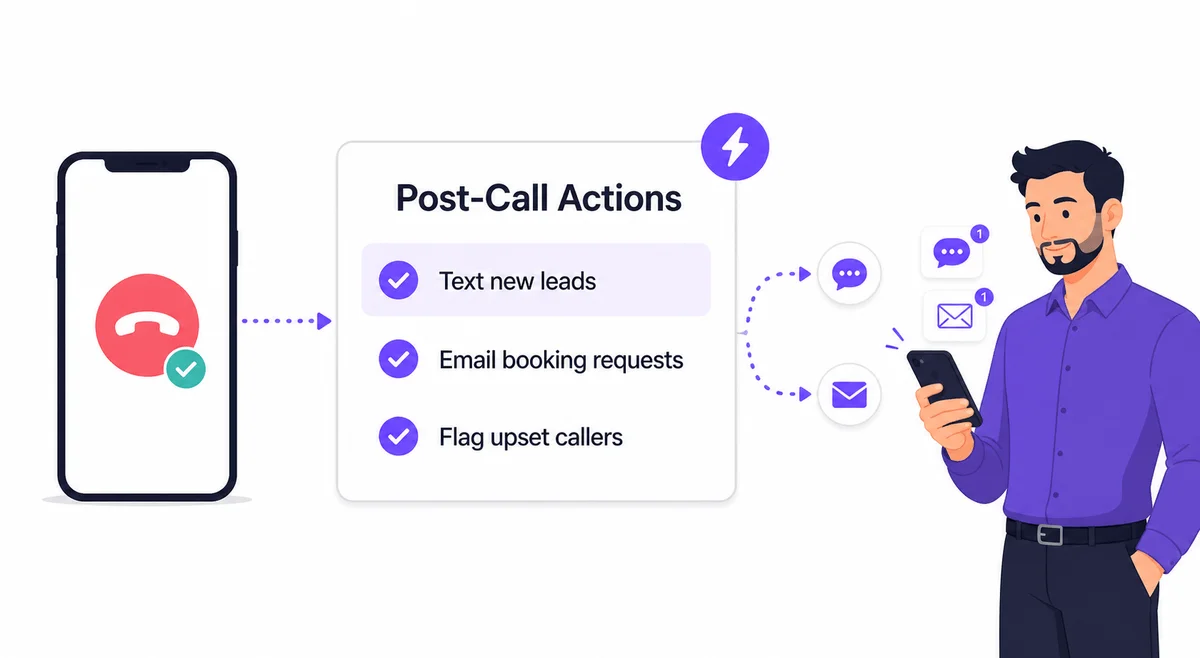
The Call Was Answered. Then What?
Your AI Receptionist answers every call, writes a summary, and files it in your dashboard. But a summary you read tomorrow doesn't book the appointment, alert your on-call tech, or tell your office manager a new lead just called.
Most businesses bridge that gap by hand: someone reads the call log, decides what matters, and forwards the details to the right person. On busy days, that someone is nobody.
Post-Call Actions closes the gap. You describe the follow-up you want in plain language, and an AI agent does it the moment each call ends.
How It Works
Three steps to automatic follow-up
Write Your Instructions
In AI Settings, describe the follow-up you want: 'Text me a summary when a caller sounds like a new lead' or 'Email Bob the details of any booking request.'
Save with a Sanity Check
An AI reviewer reads your instructions before saving, suggests a clearer rewrite if your wording is ambiguous, and warns about anything the agent can't do.
The Agent Takes It from There
After each call, the agent reads the transcript, checks your knowledge base and the caller's history, decides whether your instructions apply, and sends the messages.
Built with Guardrails
An AI that sends messages on your behalf has to earn your trust, so the agent operates inside strict limits. Every channel is off until you enable it, and you set how many messages it may send per call. It can only message the contacts you've registered in your dashboard, never a number or address it picked up somewhere else.
The agent runs once per call, right after the call ends. It cannot wait for replies, set reminders, or act on its own later. When you save your instructions, an AI reviewer checks them first and flags anything the feature can't honor, offers a clearer rewrite when your wording is ambiguous, and warns you about missing contacts or disabled channels with a one-click fix.
And when the agent can't follow an instruction, it tells you: it emails you about the problem and records it on the call in your activity feed, so nothing fails silently. You can even watch the agent work through a call live, step by step.
Real-World Scenarios
New Lead Alert
A landscaper gets a text within a minute of a prospect's call: the caller's name, what they asked about, and their number. He calls back before the prospect reaches a competitor.
Booking Requests to the Front Desk
A dental office routes every appointment request straight to the office manager's inbox: caller name, number, and preferred time, ready to schedule without opening a dashboard.
Emergency Escalation
A plumbing company texts both the owner and the on-call tech whenever a caller mentions an emergency. Routine calls stay quiet in the activity feed.
Upset Caller Flag
A property manager gets an email whenever a tenant sounds frustrated, with a short explanation of why. Small problems get a callback before they become complaints.
Frequently Asked Questions
Which plans include Post-Call Actions?
Post-Call Actions is included with the Starter, Solopreneur, and Business plans. It is not available on Essential.
Learn more: Pricing
Who can the agent send messages to?
Only your registered contacts, over the channels you enable. You switch SMS and email on separately and set how many messages the agent may send per call. The agent never messages a number or address it found in a transcript.
Can the agent follow up later or wait for a reply?
No. The agent runs once per call, right after the call ends. Instructions that depend on replies or timing, like 'text Bob and if he says ok, email Robert,' are flagged when you save them, with an explanation of what the agent can do instead.
What happens when an instruction can't be followed?
The agent emails you about the problem and records it on the call in your activity feed. For example, if a contact hasn't been granted SMS permission, you'll learn about it right away instead of finding out weeks later.
Does the agent act on spam or irrelevant calls?
No. The agent decides per call whether your instructions apply. Spam, blocked, and irrelevant calls produce no action, and the call shows a quiet 'no action needed' note in your dashboard.
Can I see what the agent did?
Yes. Every call shows the agent's outcome in your activity feed, and you can open a live view to watch it work through a call step by step, including every message it sends.