
Dashboard Assistant: Ask, and Your AI Receptionist Is Set Up for You
An AI assistant in your dashboard answers questions about your calls and settings, makes the changes you ask for with one-click Undo, and fixes what your receptionist couldn't handle. Included on every plan from $14 a month.
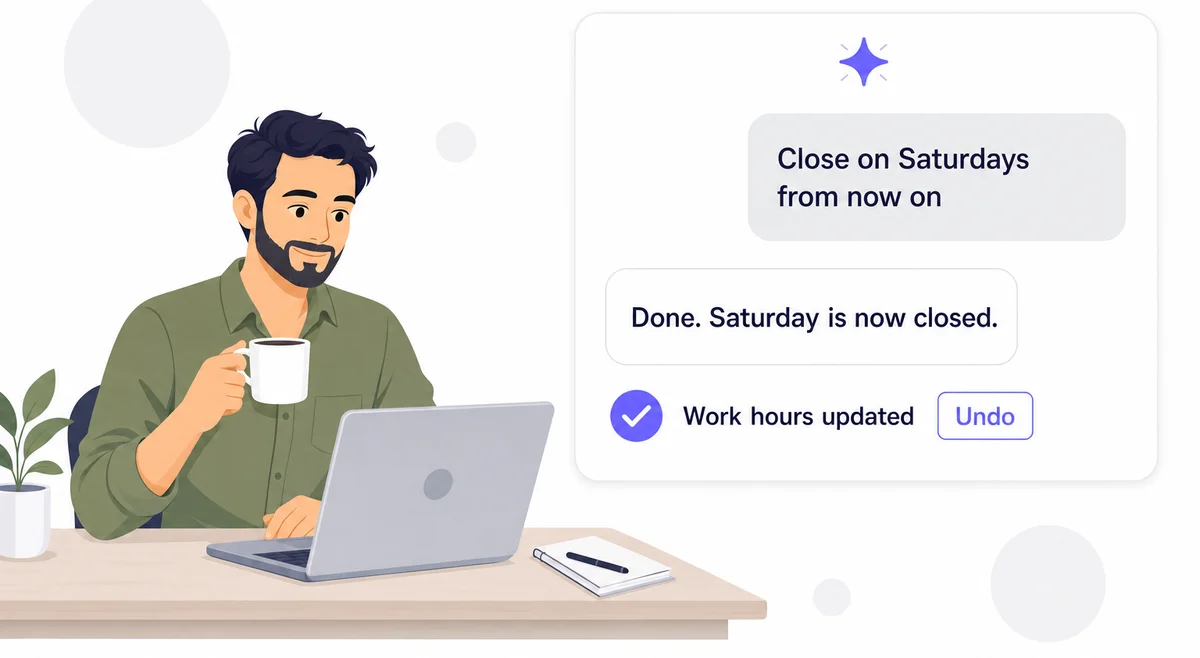
You Shouldn't Need to Learn a Dashboard
Setting up a receptionist means a greeting, instructions, a knowledge base, transfer contacts, calendar hours and a dozen smaller settings, spread over several pages. Most business owners know exactly what they want. They just don't know where each setting lives.
The Dashboard Assistant is a chat panel on every page of your dashboard. Say what you want, such as "close on Saturdays" or "tell callers we don't do commercial work," and it finds the setting, makes the change and shows you what it did.
How It Works
Three ways owners use the assistant
Set Up a New Receptionist
On a new account the assistant opens and asks for your website. It reads it, writes your knowledge base, instructions and greeting, and asks a few questions you can skip.
Change Anything by Asking
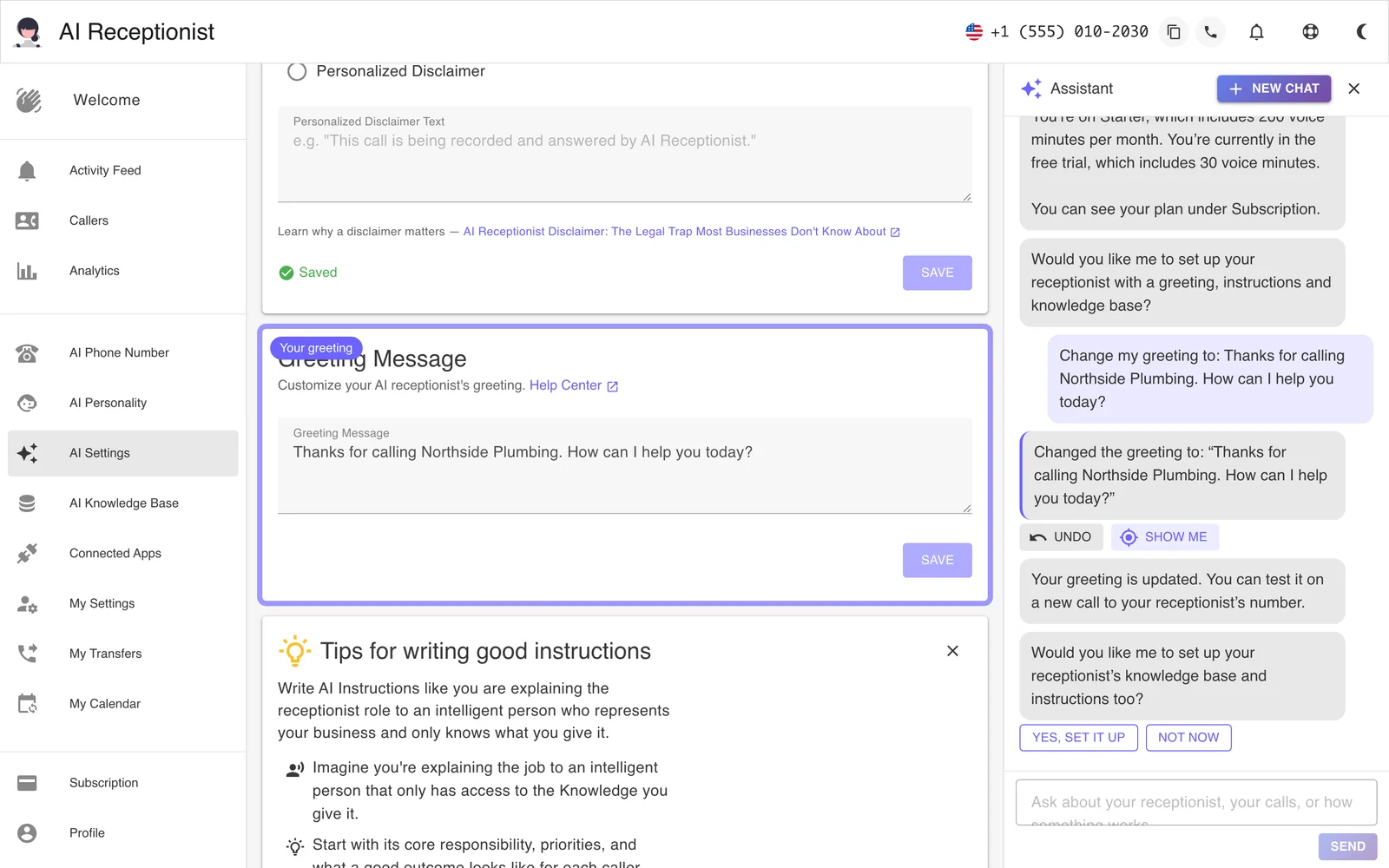
"Add my office manager as a transfer contact." "Make the greeting shorter." It makes the change and shows it in the chat with Undo.
Fix What Your Receptionist Flags
When a caller asks something your receptionist couldn't answer, click Fix. It reads the calls and makes the fix.
What You Can Ask
- About your calls. "How many calls did I get this week?" "What did the 2 PM caller want?" It searches your calls and reads transcripts and summaries.
- To change your receptionist. Your greeting, AI Instructions, voice (it plays a sample first), personality, knowledge base and FAQs.
- To change your settings. Contacts and transfers, notifications, Boss Mode, and your calendar hours: "Monday to Friday, 9 to 12 and 1 to 5."
- How something works. It answers from our help, names the place in the dashboard, and its "Show me" button opens the page with the setting highlighted.
- To work in your other apps. On Starter and up, with connected apps, it sets up what should happen after each call and can look things up for you: "find Maria in HubSpot."
What It Looks Like in Your Dashboard
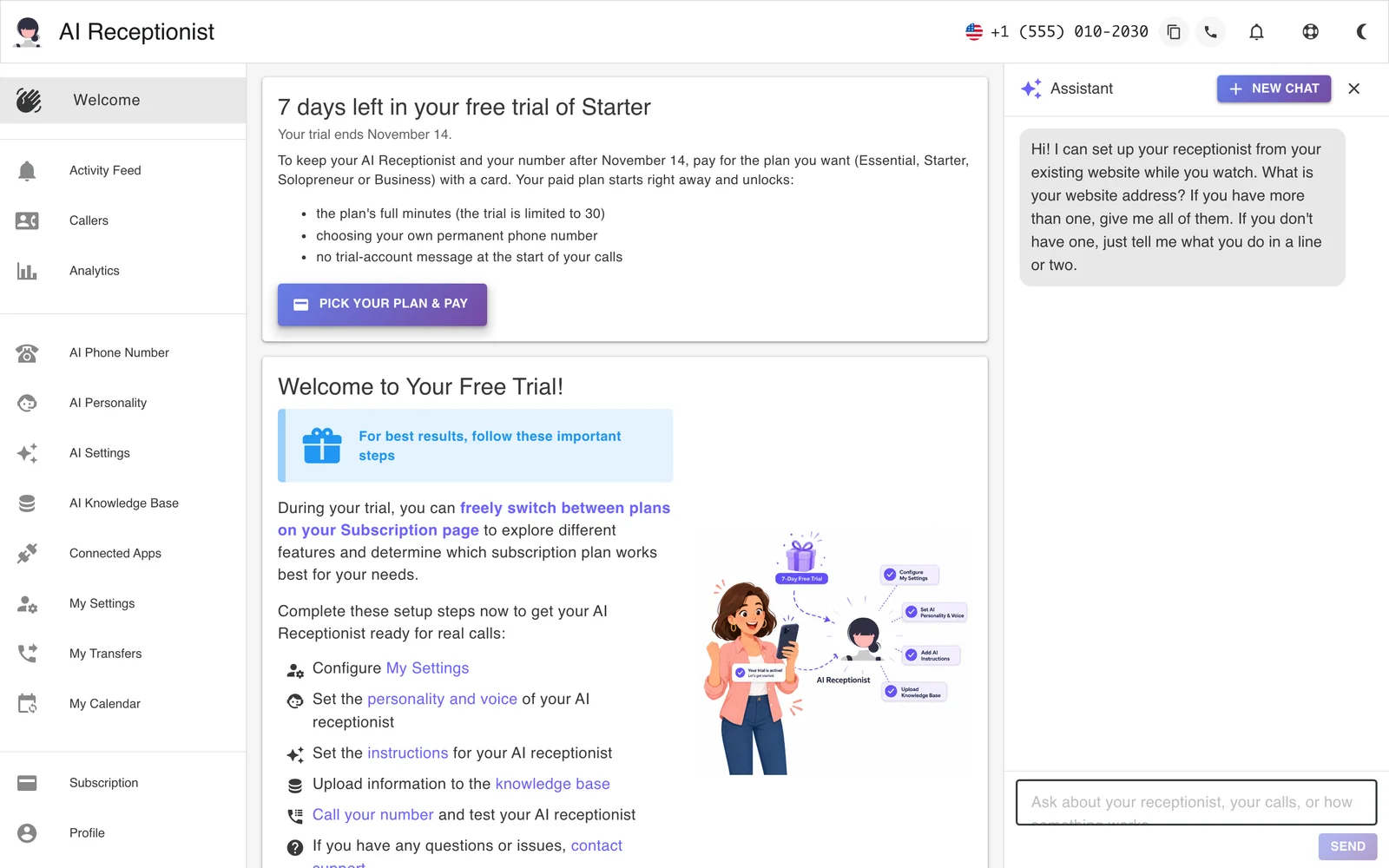
It Fixes What Your Receptionist Couldn't Answer
When a caller asks something your receptionist can't answer, because a fact is missing from your knowledge base or two instructions disagree, it records an issue and carries on with the call. You get one email, and a banner at the top of your dashboard lists the open issues.
Click Fix. The assistant reads the calls behind each issue, makes the fix with Undo, and clears the issue. If you'd rather leave something as it is, tell it so and it clears the issue without changing anything.
You Stay in Control
- Every change is a line in the chat with an Undo button.
- When the idea is the assistant's own, it asks first and changes nothing until you say yes.
- What a caller says, what a web page says and what an app returns are information to it, never instructions.
- It doesn't change your email address, SMS settings, phone number or plan, and it doesn't connect a calendar or an app for you. It shows you where to do those yourself.
Real-World Scenarios
New Winter Hours
A landscaper types "from December, Monday to Thursday 8 to 3, closed Friday to Sunday." The assistant sets every day in one go and reads the week back.
A Missing Price
Three callers asked about gutter cleaning prices and the receptionist didn't know. The issue banner shows it, the owner clicks Fix and types the price, and it goes into the knowledge base.
A New Team Member
A dental office adds its new hygienist as a transfer contact by asking, with her number and when calls should go to her.
A Refreshed Website
After a website redesign, the owner gives the assistant the new address. It reads the site and offers updates to the knowledge base and instructions, one at a time.
Frequently Asked Questions
Which plans include the Dashboard Assistant?
Every plan, starting with Essential at $14 a month. The assistant uses support agent tokens from your plan's monthly allotment, the same allotment as Post-Call Actions, and your Subscription page shows how much is left.
Learn more: Pricing
What can the assistant change?
Your AI Instructions, greeting, receptionist name and title, voice and personality, knowledge base texts and FAQs, contacts, notification settings, Boss Mode, your calendar's scheduling settings and work hours, and, on Starter and up, your connected apps and post-call instructions. It does not change your email address, your SMS settings, your phone number or your plan, and it doesn't connect a calendar or an app for you; it shows you where to do those.
Can I undo a change the assistant made?
Yes. Every change appears in the chat as a line with an Undo button, which puts the earlier value back. When the assistant has an idea of its own, such as a missing fact it noticed on a call, it asks first and changes nothing until you say yes.
Can it set up my receptionist from my website?
Yes. On a new account the assistant opens by itself and asks for your website. It reads the site, writes your knowledge base, AI Instructions and greeting, then asks a few setup questions you can answer or skip. On an account that is already set up, give it your website again for a tune-up.
Can it look at my calls?
Yes. It can search your calls, read a call's transcript and summary, and give you counts for today, this week or this month. What a caller said is information to the assistant, never an instruction, so a caller can't get it to change your settings.
What happens when my receptionist can't answer a caller?
It records an issue. You get one email, and a banner at the top of your dashboard lists the open issues with a Fix button. The assistant reads the calls, makes the fix with Undo, such as adding the missing fact to your knowledge base, and clears the issue.
Can my team members use it?
A linked team member can ask questions and read answers. Changes and connected apps are for the account owner.
Can I manage my receptionist by phone instead?
Yes. With Boss Mode on, call your AI Receptionist number from your own phone and say "boss mode" to hear your recent calls or change your instructions and settings by voice. Website setup and connected apps stay in the chat.
Learn more: Boss Mode
Set Up Your Receptionist by Asking
Start your free 7-day trial and give the assistant your website. No credit card required.
Start Free Trial