
After-Hours AI Receptionist: Answer Calls at Night and on Weekends
Calls that come in after you close get answered. Your AI Receptionist answers questions, books appointments and takes messages at any hour, on every plan from $14 a month.
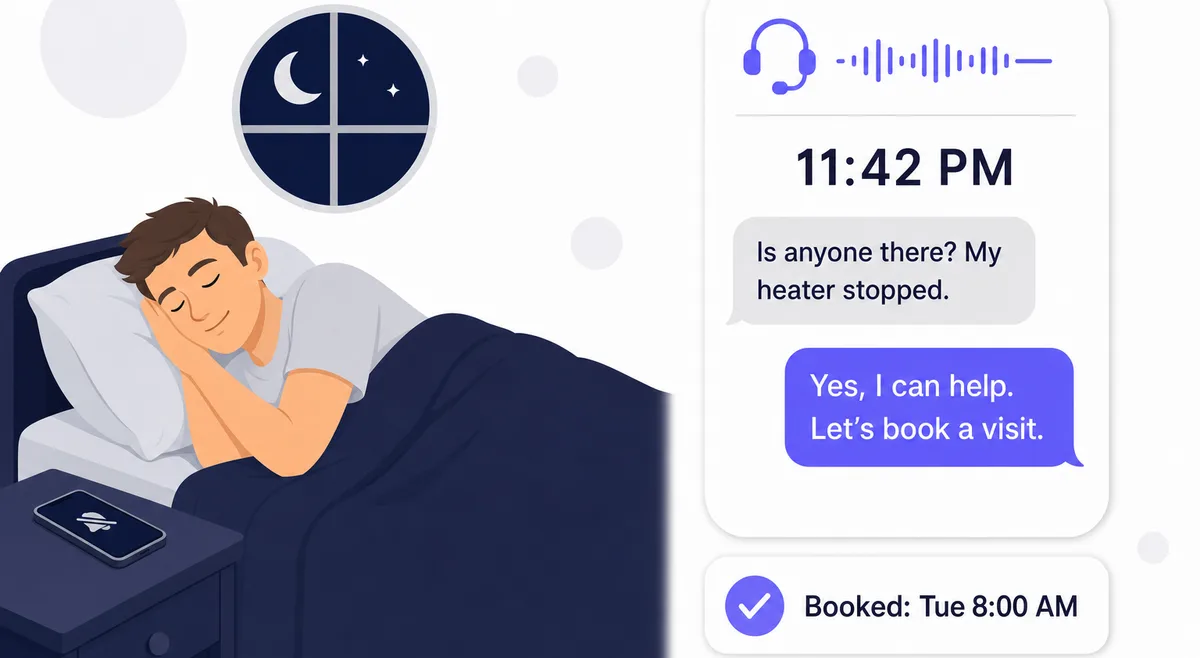
Your Phone Keeps Ringing After You Close
A furnace stops at midnight. Someone wants a Saturday appointment and calls on Friday night. A new customer finds you on Sunday afternoon and calls the first number they see. If that call goes to voicemail, many callers don't leave a message. They call the next business on the list.
A human after-hours answering service takes a message and bills you per call or per minute. Your AI Receptionist answers the call itself on a flat monthly plan. It knows your hours, answers from your own information, books into your Google Calendar and tells you what happened, so you can sleep and read the summary in the morning.
How It Works
How after-hours answering works
Forward Your Calls When You Close
Use your carrier's forwarding code to send calls to your AI Receptionist at night, or forward only the calls you don't answer.
The AI Answers Every Call
It greets the caller, answers from your knowledge base, books appointments and takes messages, and reaches you only when you have asked it to.
You Read the Summary in the Morning
Every call has a transcript and a summary in your dashboard, and you get a notification for each one.
What a Caller Hears at 11 PM
An example call to a heating company that closes at 6 PM and books service visits from 8 AM:
AI Receptionist: Thanks for calling Northside Heating. We're closed for the night, but I can help. What's going on?
Caller: My heater stopped working and the house is getting cold.
AI Receptionist: I'm sorry to hear that. Our first opening is tomorrow at 8 AM. Would you like that visit?
Caller: Yes, please.
AI Receptionist: Can I have your name and address for the technician?
Caller: Dana Ruiz, 14 Oak Street.
AI Receptionist: Thanks, Dana. You're booked for 8 AM tomorrow at 14 Oak Street, and the team will see the details first thing.
The owner wakes up to the booking in Google Calendar and a summary of the call. Your greeting, your hours and what the AI offers after hours all come from your own settings and instructions.
You Decide What Happens After Hours
Real-World Scenarios
Heating and Plumbing
A no-heat call comes in at midnight. The AI books the first morning visit, and on the Starter plan and up, Post-Call Actions texts the on-call tech because the owner asked to hear about every no-heat call.
Dental Office
Patients call on Sunday evening to move Monday appointments. The AI reschedules them in Google Calendar, so the front desk starts Monday with an up-to-date schedule.
Property Manager
A tenant calls on a holiday about a leak. The AI takes the details and sends the manager a warm-transfer text, and the manager accepts the call from home.
Contractor on a Job
During the day the owner is on a roof and can't pick up. Unanswered calls are forwarded to the AI, which takes the estimate request and books a site visit.
Frequently Asked Questions
Does after-hours answering cost extra?
No. Your AI Receptionist answers around the clock on every plan, starting with Essential at $14 a month. A night call uses minutes from your plan the same way a daytime call does, and there is no after-hours or holiday surcharge.
Learn more: Pricing
Can it answer only when I'm closed?
Yes. Most phone carriers let you forward all calls with a short dial code and turn forwarding off again the same way, so you can send calls to your AI Receptionist when you close and take them back in the morning. You can also forward only the calls you don't pick up, so it covers you after hours and whenever you're busy during the day.
Learn more: Call forwarding codes
Does it know that the business is closed?
Yes. It checks the current time in your time zone and reads your opening hours from your knowledge base, so it can tell a caller you are closed and when you open again. You can add instructions for after-hours calls, for example to take a message for anything that is not urgent.
Can callers book appointments at night?
Yes. Callers can book, reschedule and cancel in your Google Calendar during the call at any hour. The appointment still lands inside your working hours: every booking is checked against your hours, buffers, minimum notice and existing events before it is saved.
Learn more: Calendar booking
What happens with an emergency call at 2 AM?
You choose. With warm transfer, the AI texts you the caller's details and you can accept the call or let it go to a message. If you don't answer within your timeout, 60 seconds by default, the AI takes the message. From the Starter plan up, Post-Call Actions can also text you or your on-call tech after any call that mentions an emergency.
Learn more: Warm transfer, Post-Call Actions
How is this different from an after-hours answering service?
A human after-hours answering service usually bills per call or per minute and takes a message. An AI receptionist is a flat monthly plan with included minutes, answers questions from your own information, books into your calendar and handles several calls at once, with a transcript and summary of every call.
Learn more: Compare pricing
Can I hear it before signing up?
Yes. Call our demo line at 1-505-600-6295, or start the 7-day free trial with 30 minutes and no credit card.
Learn more: Demo, Free trial
Stop Sending Night Calls to Voicemail
Start your free 7-day trial tonight. No credit card required.
Start Free Trial